How to Download a YouTube Playlist
YouTube hosts millions of playlists across various topics — from music albums to educational series and curated video collections. Saving entire playlists is useful for offline watching, studying, or keeping a personal archive.
With MeowLoad, you can batch download full YouTube playlists to your desktop in multiple formats and resolutions, including HD. Here's how:
-
Install the desktop app.
Download MeowLoad and install it on your computer. It's available for Windows and macOS.
-
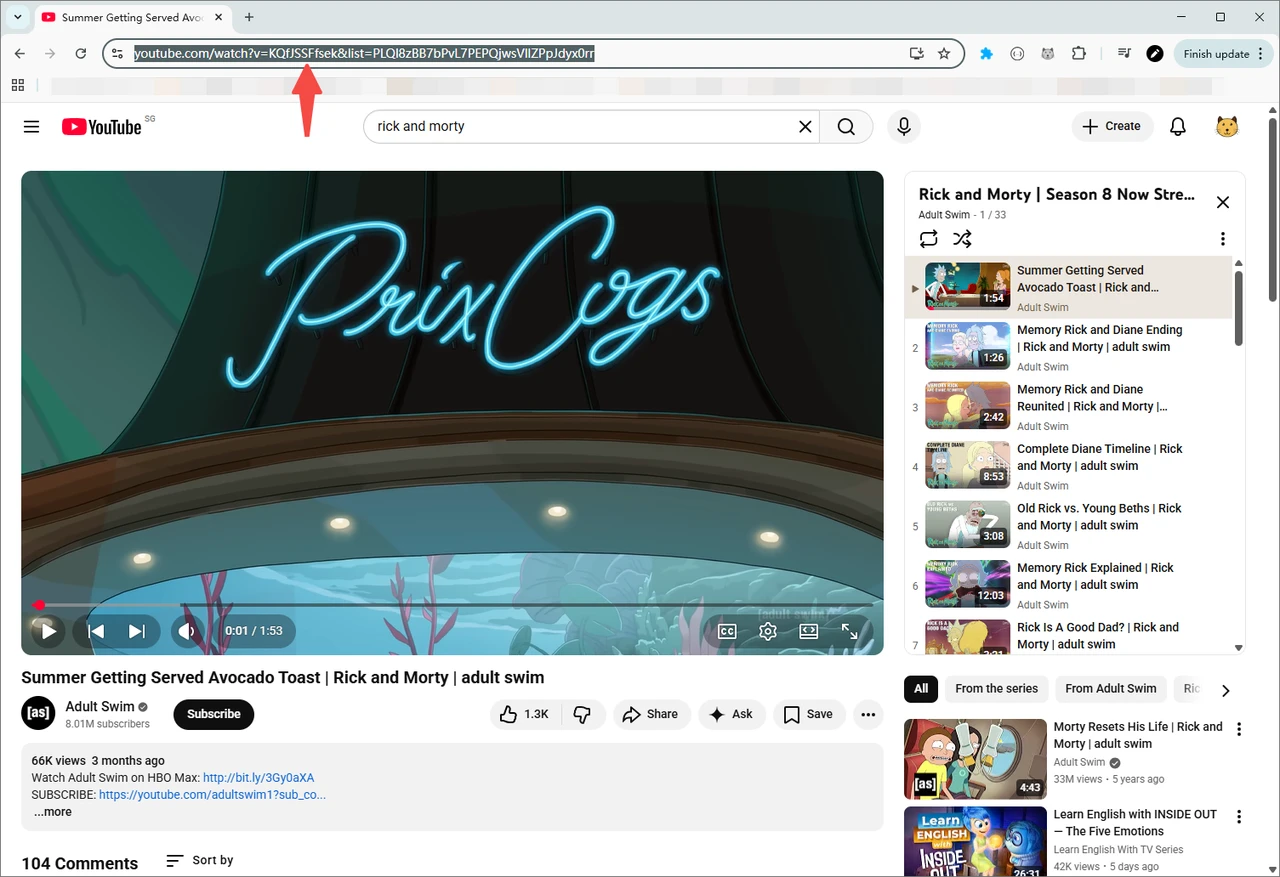
Copy the playlist link.
Open the playlist on YouTube in your browser and copy its URL from the address bar.
-
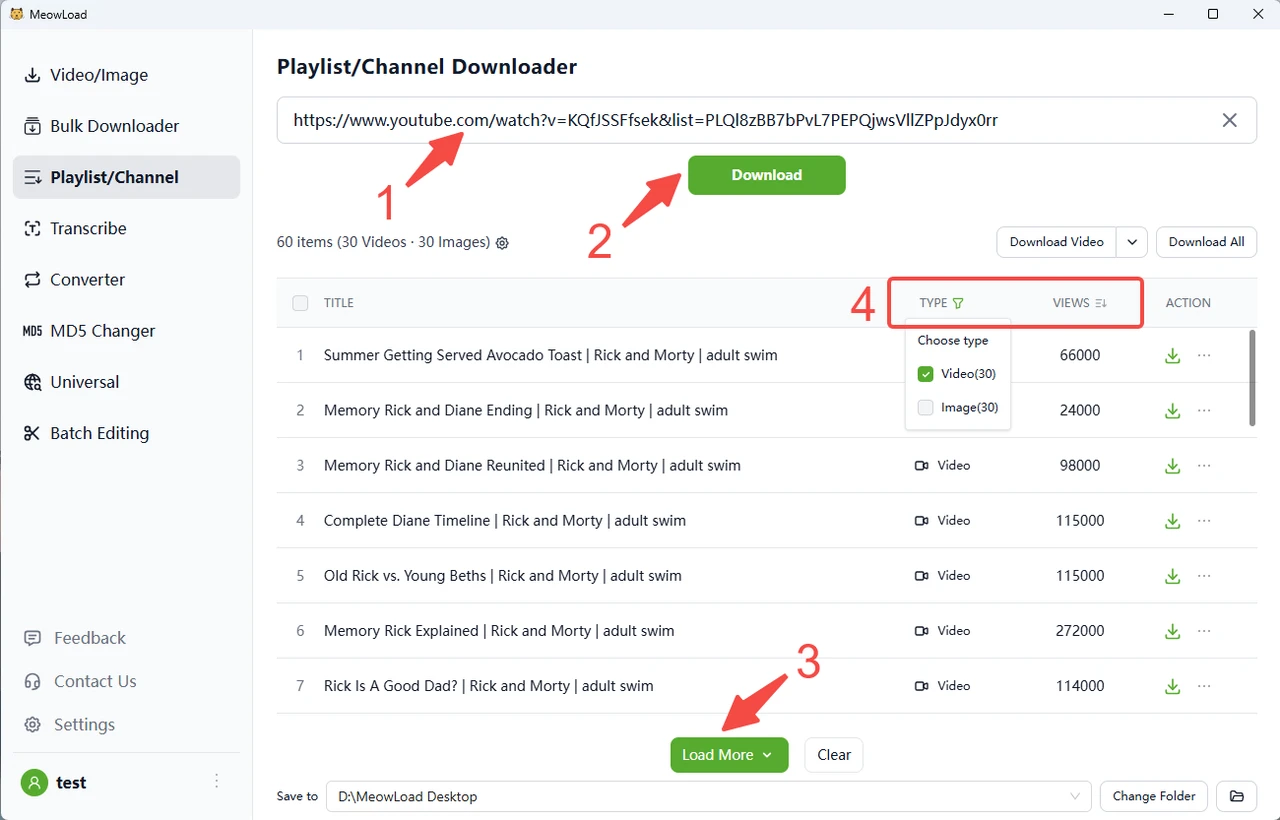
Paste the link and click Download.
You can preview media resources before downloading.
-
Load more and filter content.
Click Load More to fetch additional videos. You can sort files by views or likes and use filters to select the type you want.
-
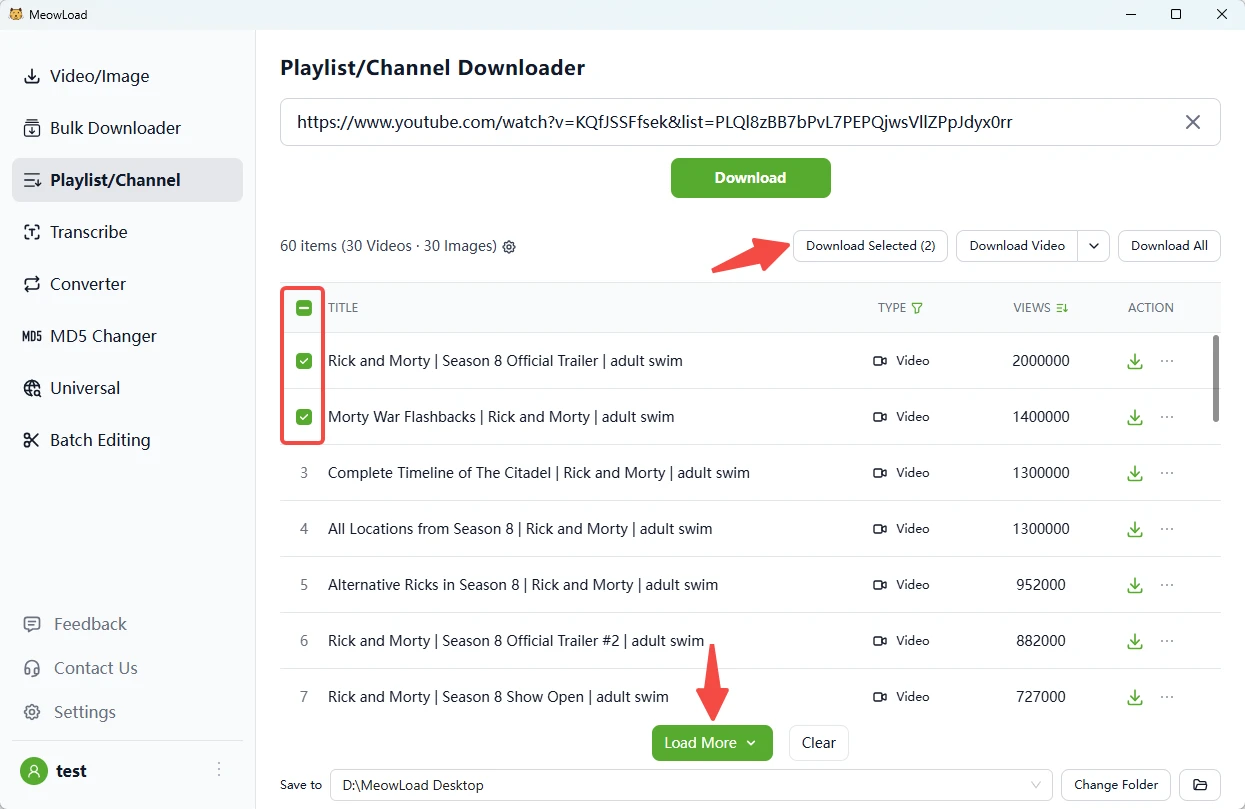
Select the items you need.
Select all or check individual items, then click Download Selected.
-
All set!
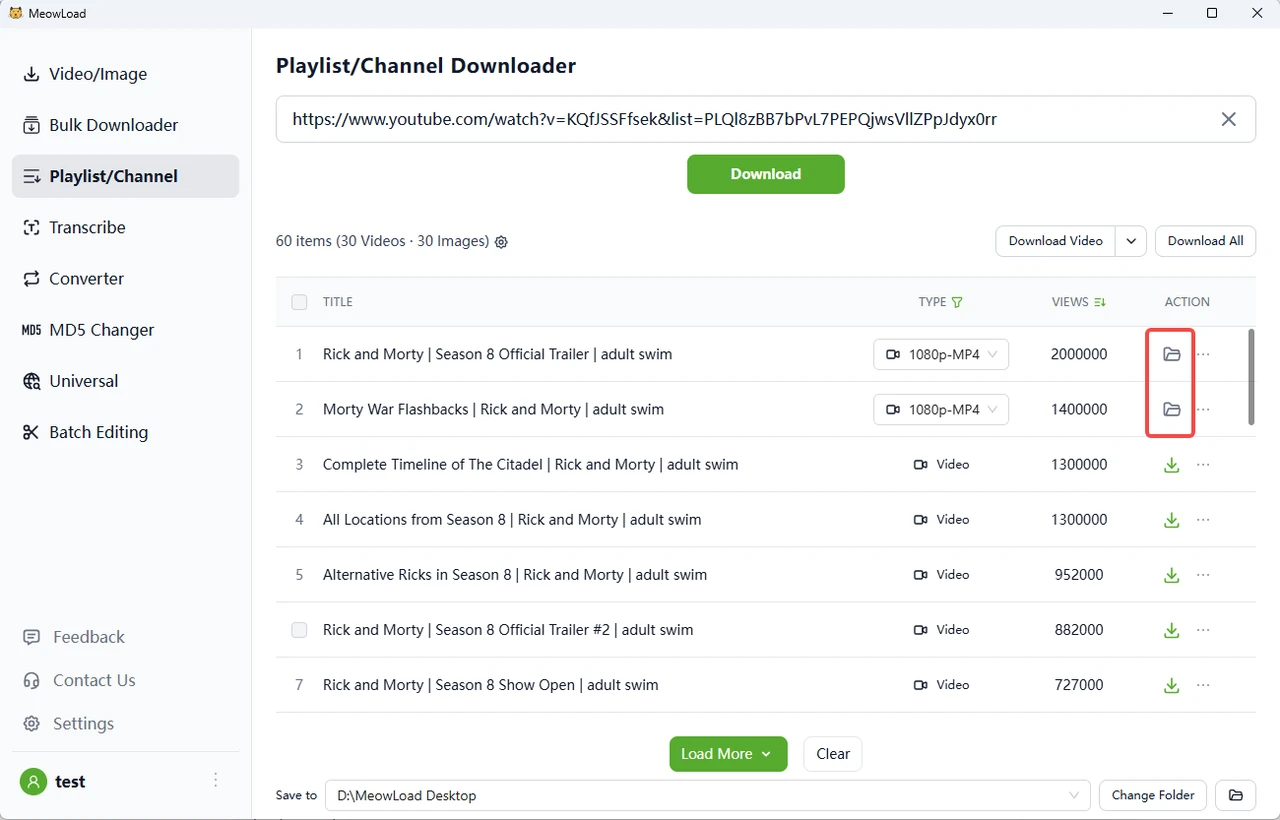
Once the download is complete, click the folder icon to check out your files.