On this page
How to Batch Download Videos, Audio, and Images from Profiles, Playlists, Channels, and Hashtag Pages?
Found a creator you love and want to download all their content to watch later, but saving each post one by one is too tedious?
MeowLoad desktop app offers a Profile / Playlist Batch Download feature. Simply paste a creator's profile link, and it will automatically extract available videos, audio, and images from the page for one-click batch downloading. This feature supports 1000+ websites, including:
- YouTube: Channel pages, playlists, Shorts pages
- Instagram: User profiles, Hashtag pages
- TikTok: User profiles, Hashtag pages
- Bilibili: User profiles, collection pages
- SoundCloud: Public audio from artist profiles, playlists, and albums
- And many more — Twitter (X), Twitch, Weibo, AcFun, etc.
Steps
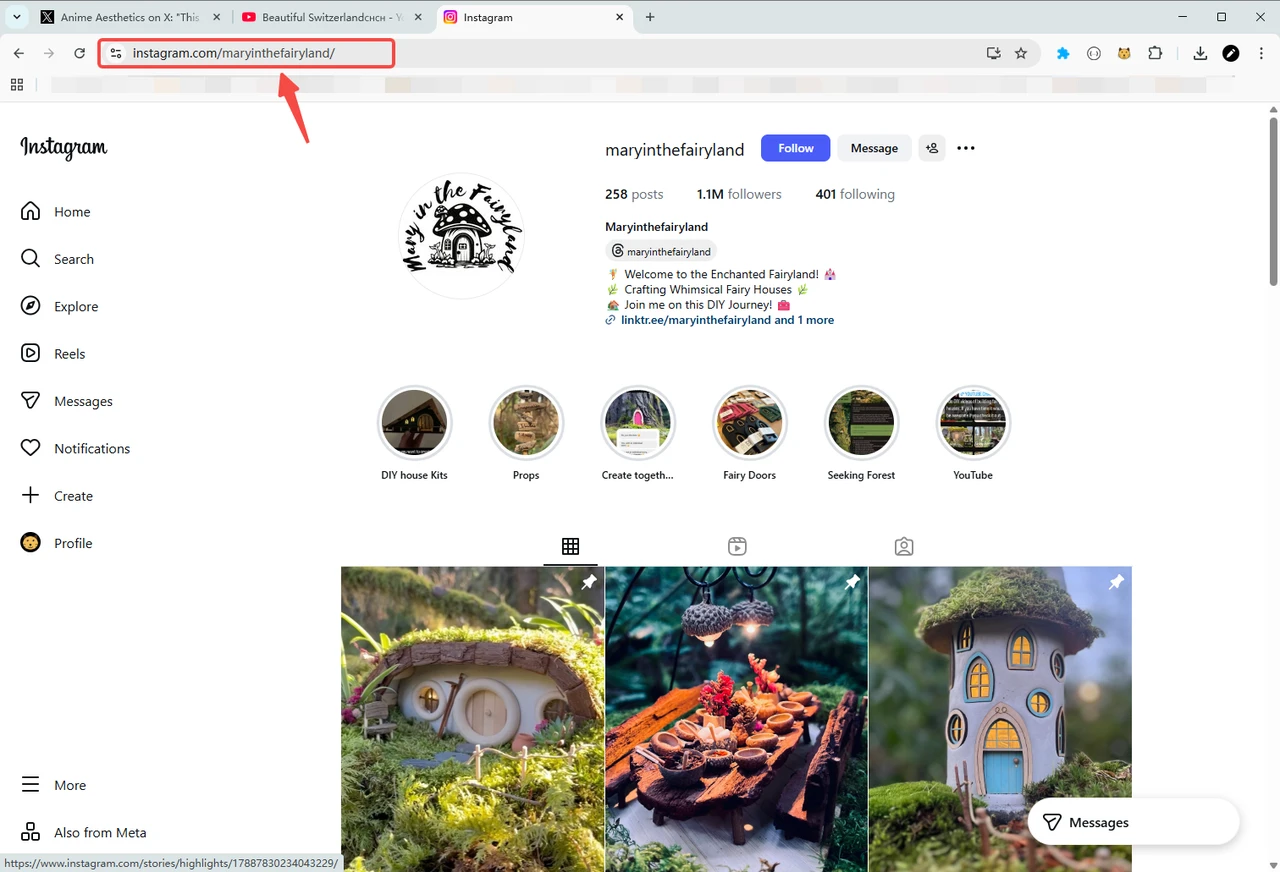
Step 1: Copy the Target Page URL
Open the creator's profile, playlist, channel page, or hashtag page you want to download from, and copy the URL from your browser's address bar.
Step 2: Paste the URL and Extract
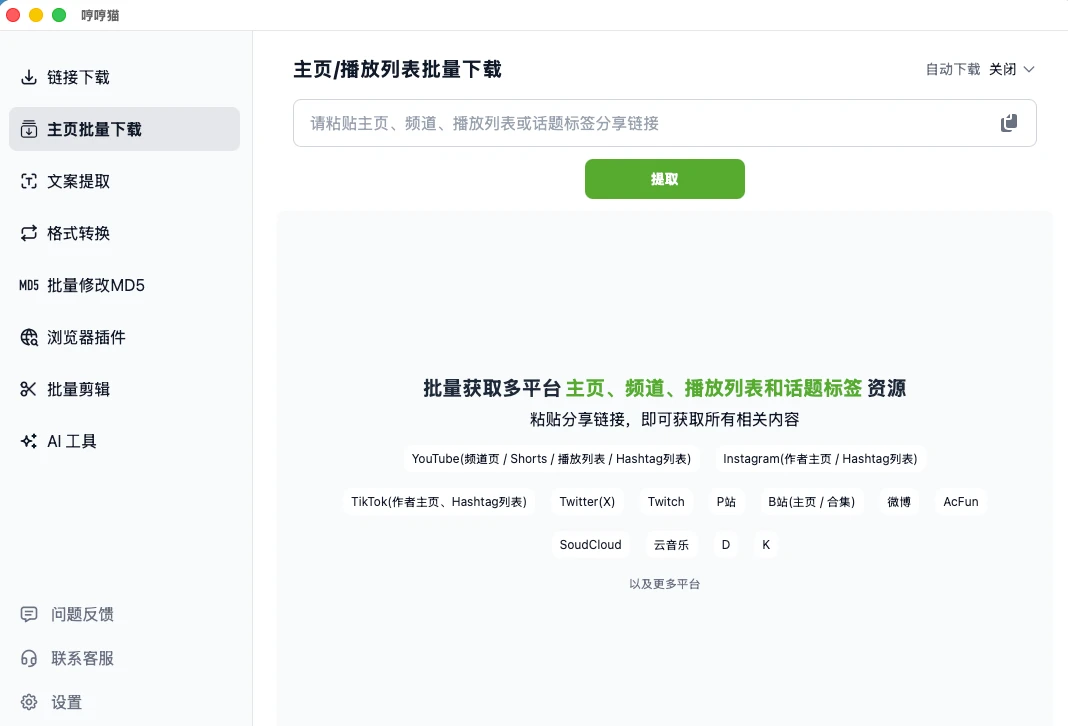
Open the MeowLoad desktop app, select Profile Batch Download from the left menu, paste the URL into the input field, and click the Extract button.
The app extracts content in pages, sorted by publish date from newest to oldest. You can click Load Next Page to load one page at a time, or choose Load 5 Pages or Load All to fetch the creator's entire content library.
Step 3: Sort, Filter, and Batch Download
Once extraction is complete, you can fine-tune the results:
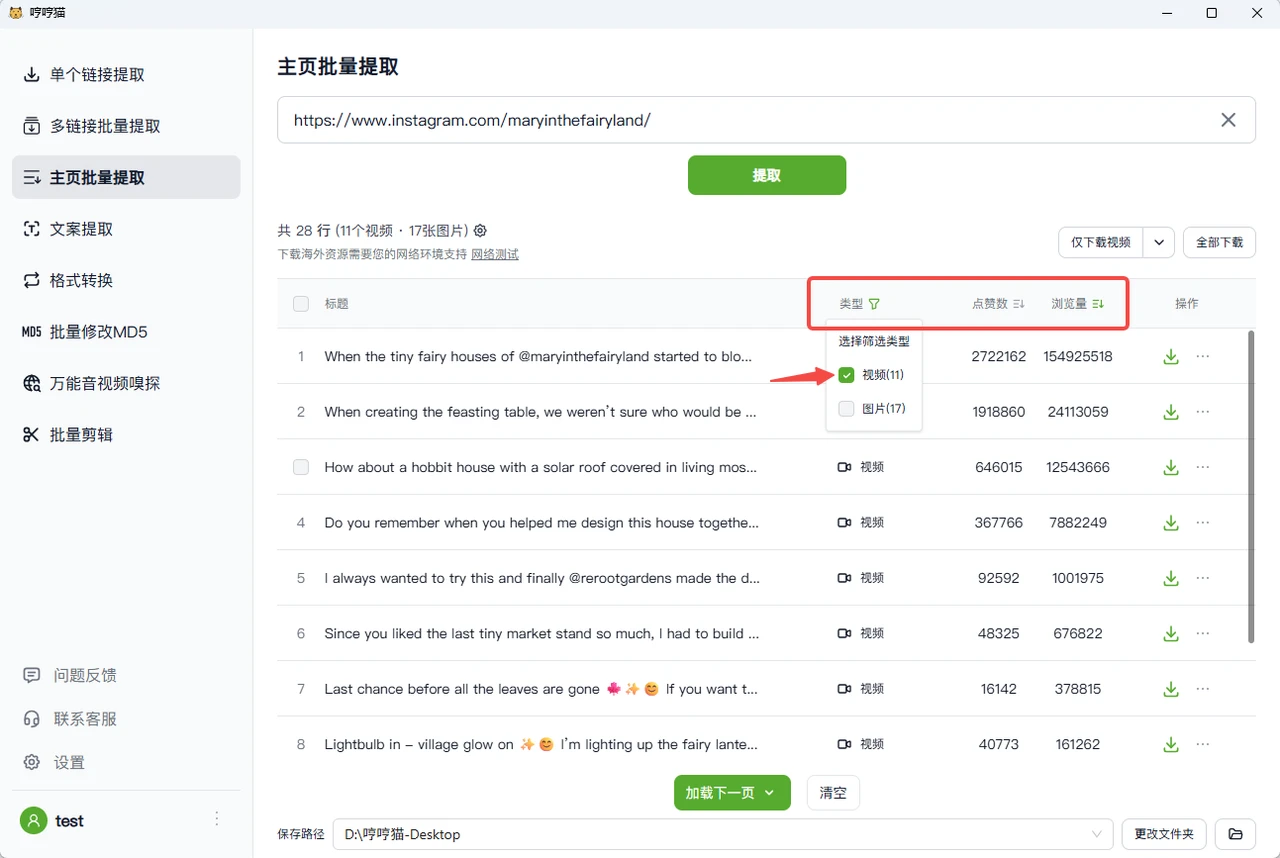
- Sort: By default, results are sorted by publish date (newest first). You can also sort by view count or likes.
- Filter: Filter by file type — videos, audio, images, or subtitles.
Click Download All to batch save everything to your local device. You can also use quick-action buttons like Download Videos Only to download just one specific file type.