On this page
Install MeowLoad Browser Extension
The MeowLoad browser extension supports Chrome, Edge, Opera, Yandex, and other Chromium-based browsers. We recommend using it with Chrome or Edge. Here are two installation methods.
Install from Web Store (Recommended)
The simplest and recommended way — install directly from the official store:
- Chrome: Chrome Web Store
- Edge: Edge Add-ons
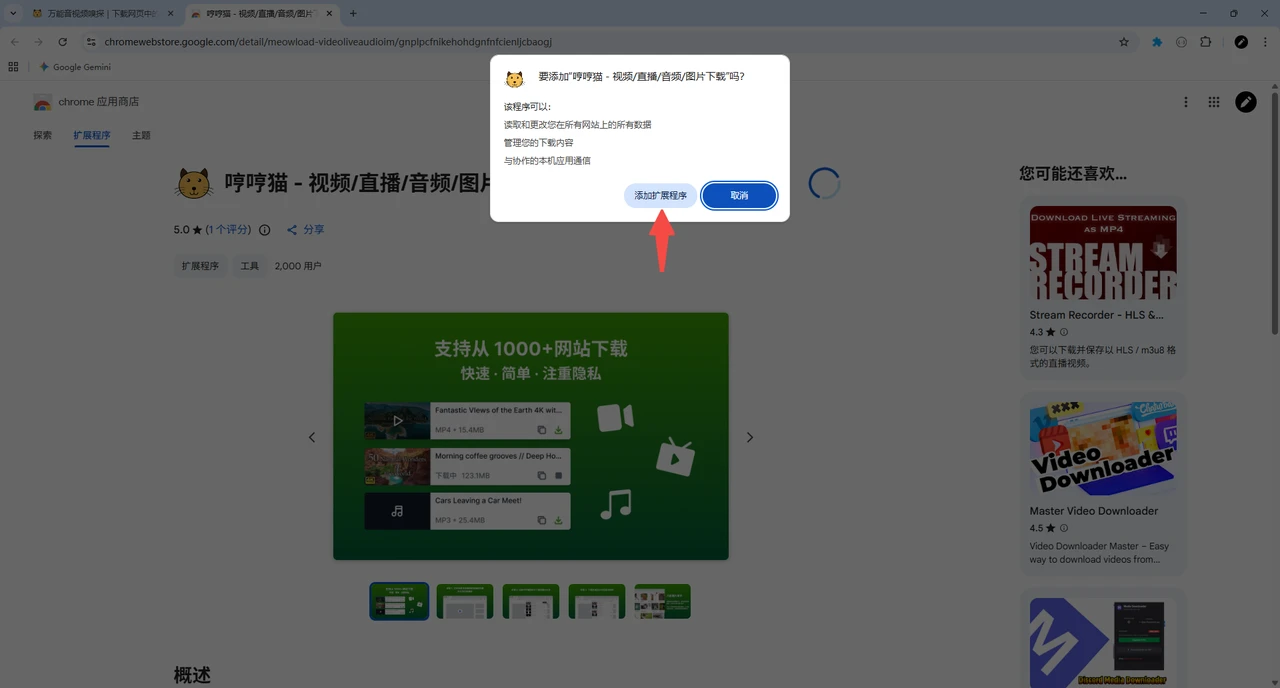
Step 1: Click the Add to browser button on the store page.
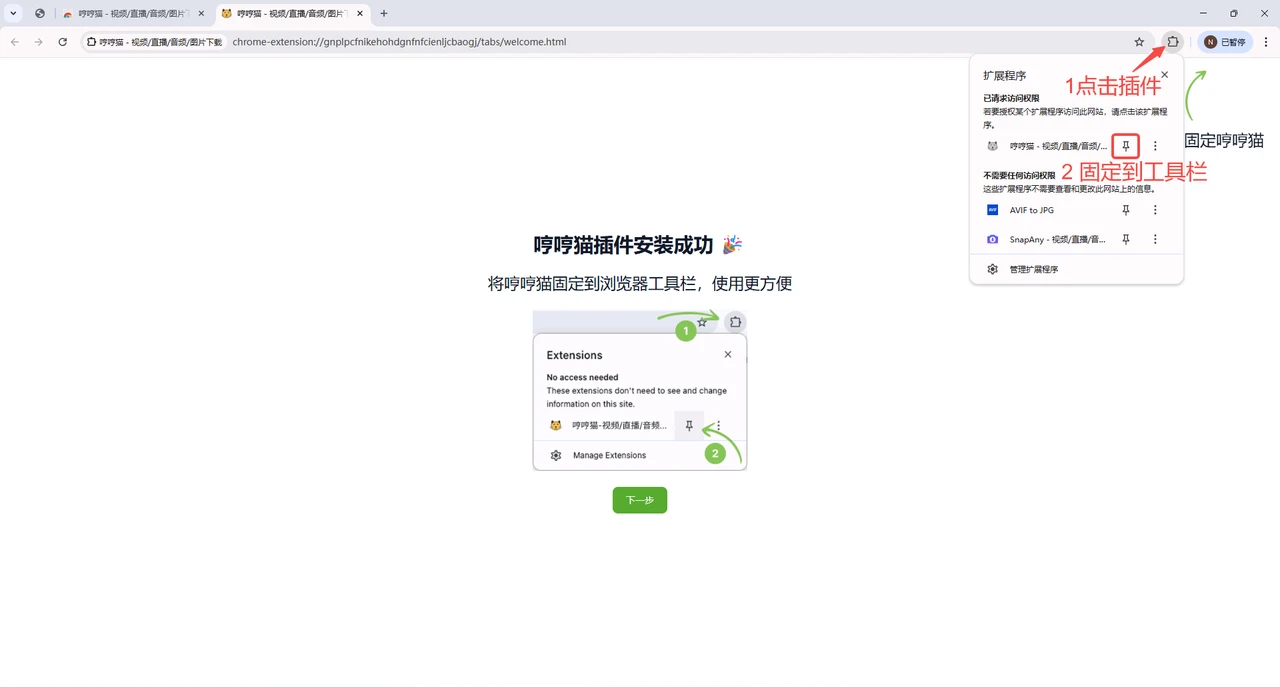
Step 2: After installation, click the extensions icon in the top-right corner of your browser and pin MeowLoad to the toolbar.
When you visit any webpage containing playable video, audio, or live streams, the MeowLoad icon will light up automatically. Click it to view detected resources and download what you need.
Manual Installation
If your browser cannot access the web store, you can use the manual installation method.