On this page
How to Download E-commerce Product Videos
Want to save a product video from Amazon, eBay, AliExpress, or other e-commerce sites, but there's no "Save As" option? Screen recording gives you poor quality with UI overlays.
With the MeowLoad browser extension, you can download the original HD video directly.
This is a universal method — it works not only for e-commerce product videos, but for any video, audio, or live stream on any webpage.
Install MeowLoad Extension
Install the MeowLoad extension from the web store:
- Chrome: Chrome Web Store
- Edge: Edge Add-ons
For detailed installation steps, see Install MeowLoad Browser Extension.
Download Product Videos
Here's a demonstration using JD.com. The process is identical for all other platforms.
Step 1: Open the product page in your browser. The extension will automatically detect video resources.
Step 2: Click the MeowLoad icon in the top-right corner to see the list of detected videos.
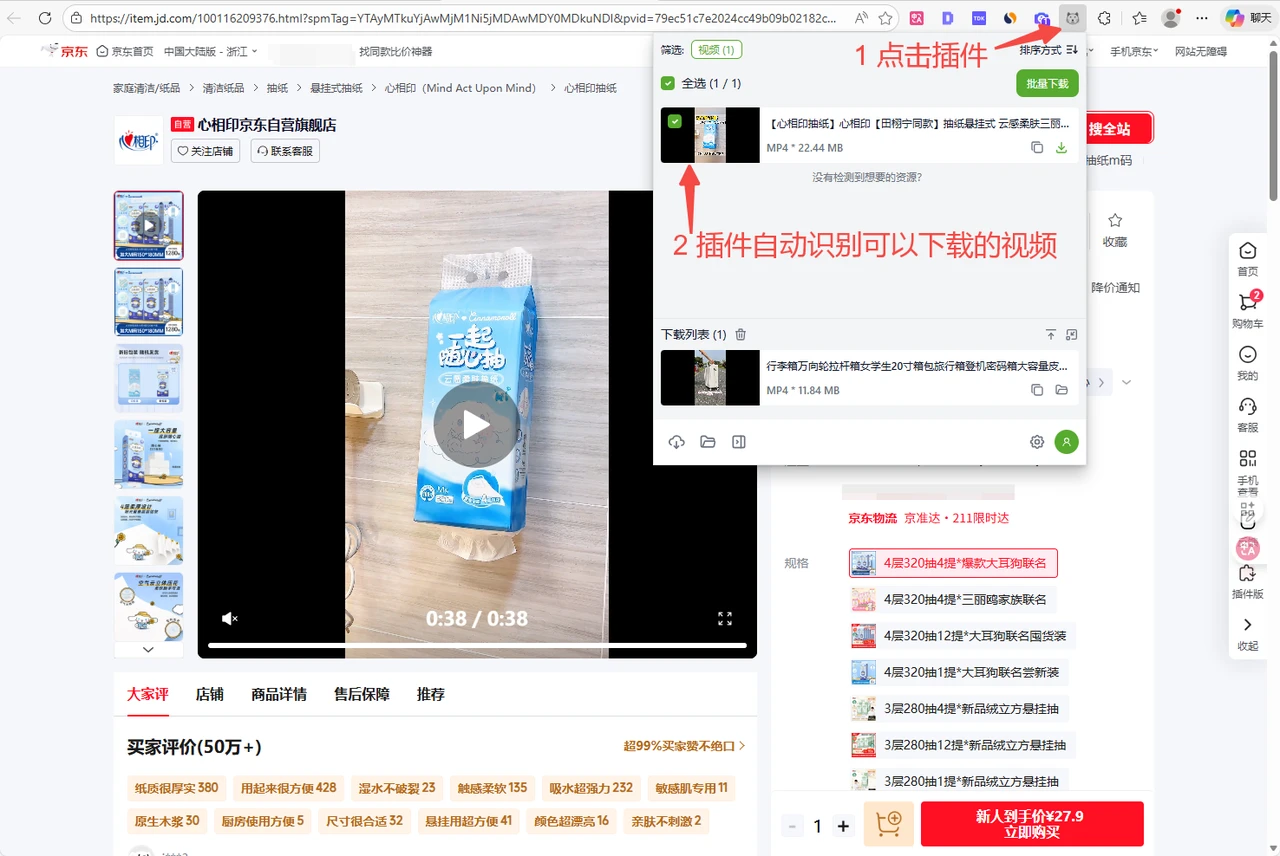
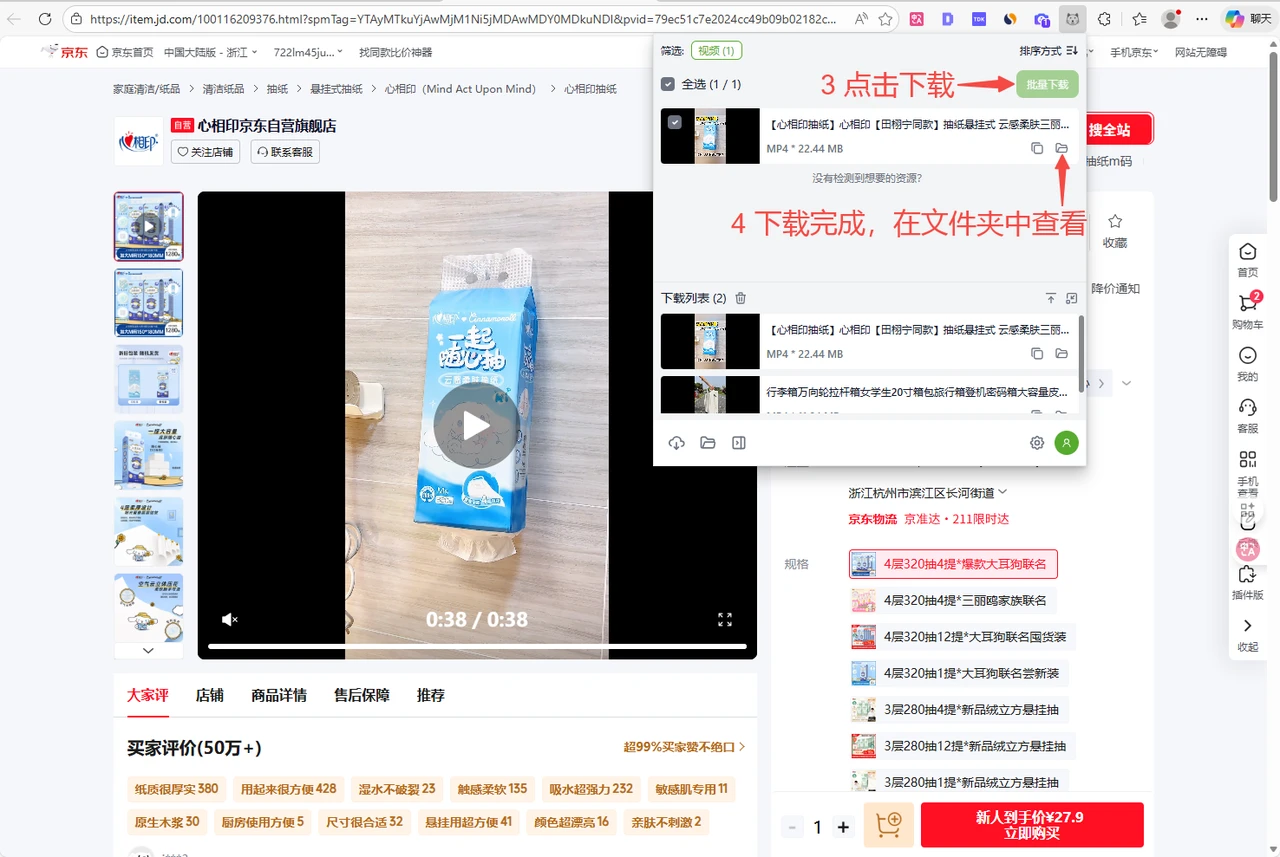
Step 3: Select the videos you need and click Download Selected.
Step 4: Once the download is complete, click the folder icon to view your saved videos.
Supported Platforms
This method works on all major e-commerce platforms, including:
- Global: Amazon, AliExpress, eBay, Shopee, Etsy
- China: JD.com, Taobao, Tmall, Pinduoduo, 1688
It also works on any other webpage with video content, such as news sites, social media, online courses, and more.