On this page
How to Download iFunny Videos?
iFunny is a popular online humor community packed with hilarious memes, GIFs, and short videos. If you spot a video on iFunny that you'd like to save locally, you can download it in just two simple steps.
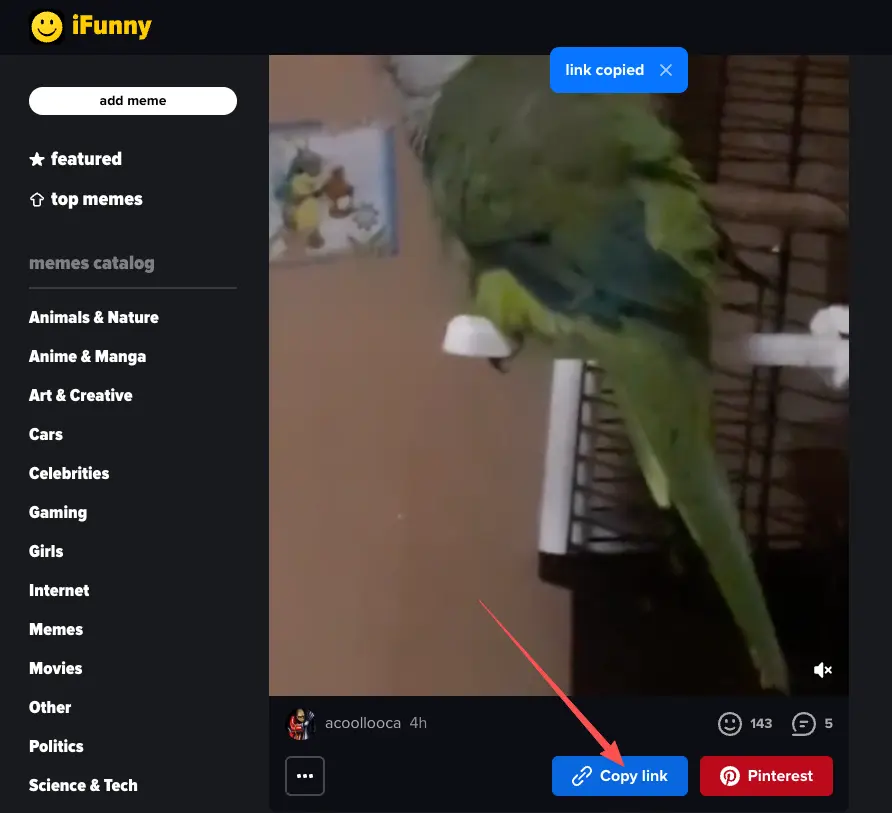
Step 1: Copy the Video Link
Open the iFunny website and find the video you want to download. Below the video player area, click the Copy link button. A "link copied" notification will appear at the top of the page, confirming that the link has been copied to your clipboard.
Step 2: Paste the Link and Download
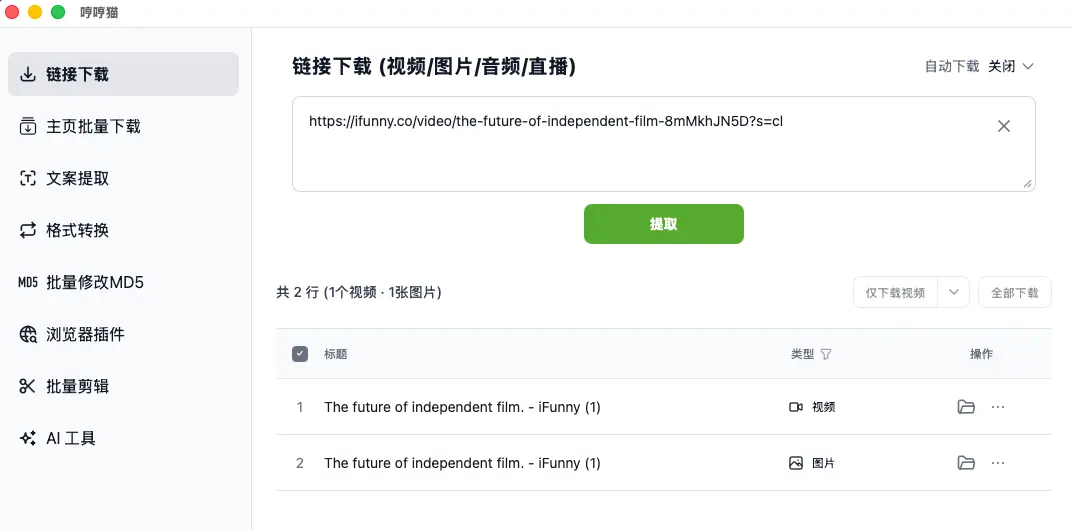
Open MeowLoad and select the "Link Download" feature from the left-side menu. Paste the link you just copied into the input field and click the green "Extract" button.
The software will automatically parse the link and display the available media files (including the video and cover image) in the list below. You can choose to "Download video only" or "Download all," and the files will be saved to your local device automatically.