On this page
How to Download Product Videos from 1688
If you've ever tried to save a product video from 1688.com, you've probably noticed there's no "Save As" option when you right-click. Screen recording gives you blurry results with UI overlays.
With the MeowLoad browser extension, you can download the original HD video in one click.
Install MeowLoad Extension
Install the MeowLoad extension from the web store:
- Chrome: Chrome Web Store
- Edge: Edge Add-ons
For detailed installation steps, see Install MeowLoad Browser Extension.
Download Product Videos
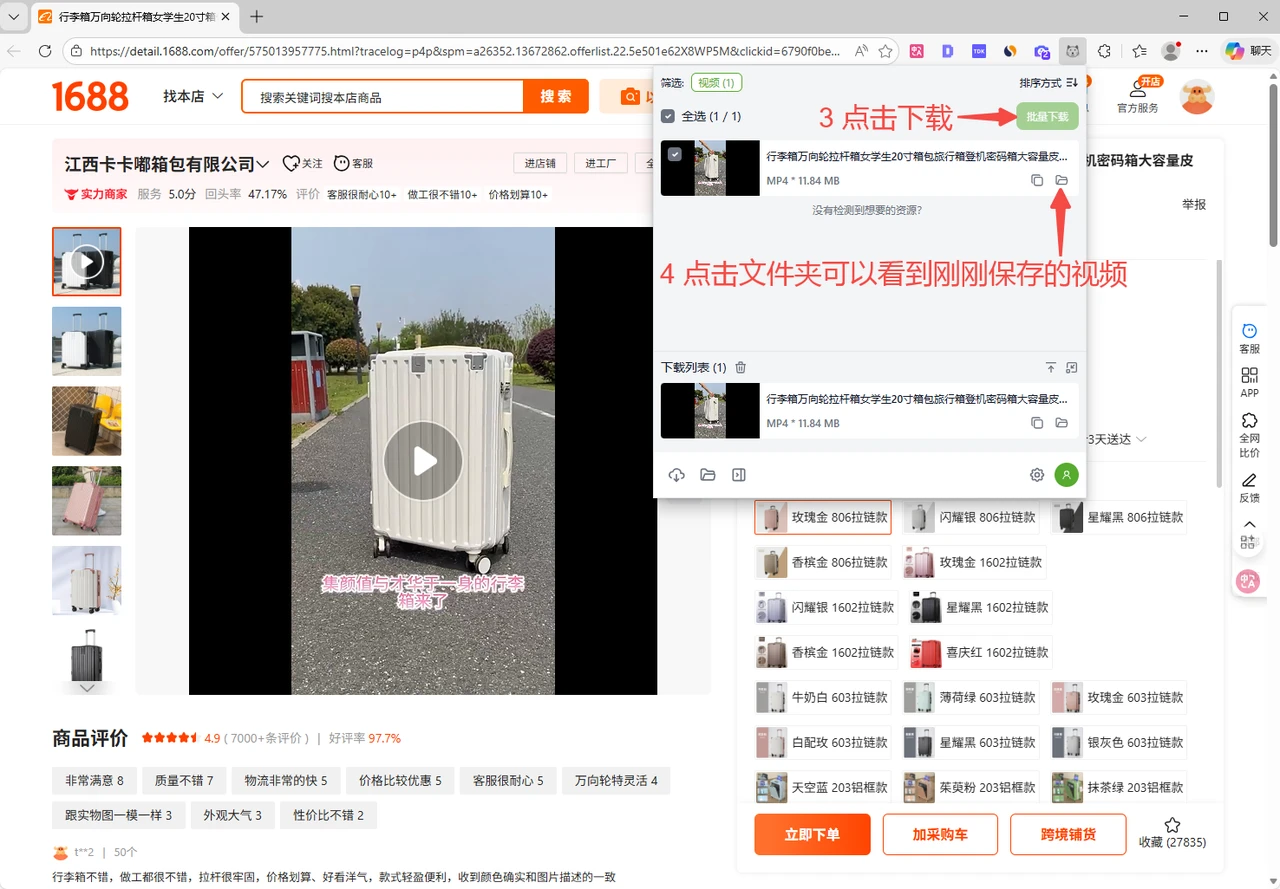
After installing the extension, open a product page on 1688.com. The extension will automatically detect video resources on the page. Click the MeowLoad icon to view the detected videos.
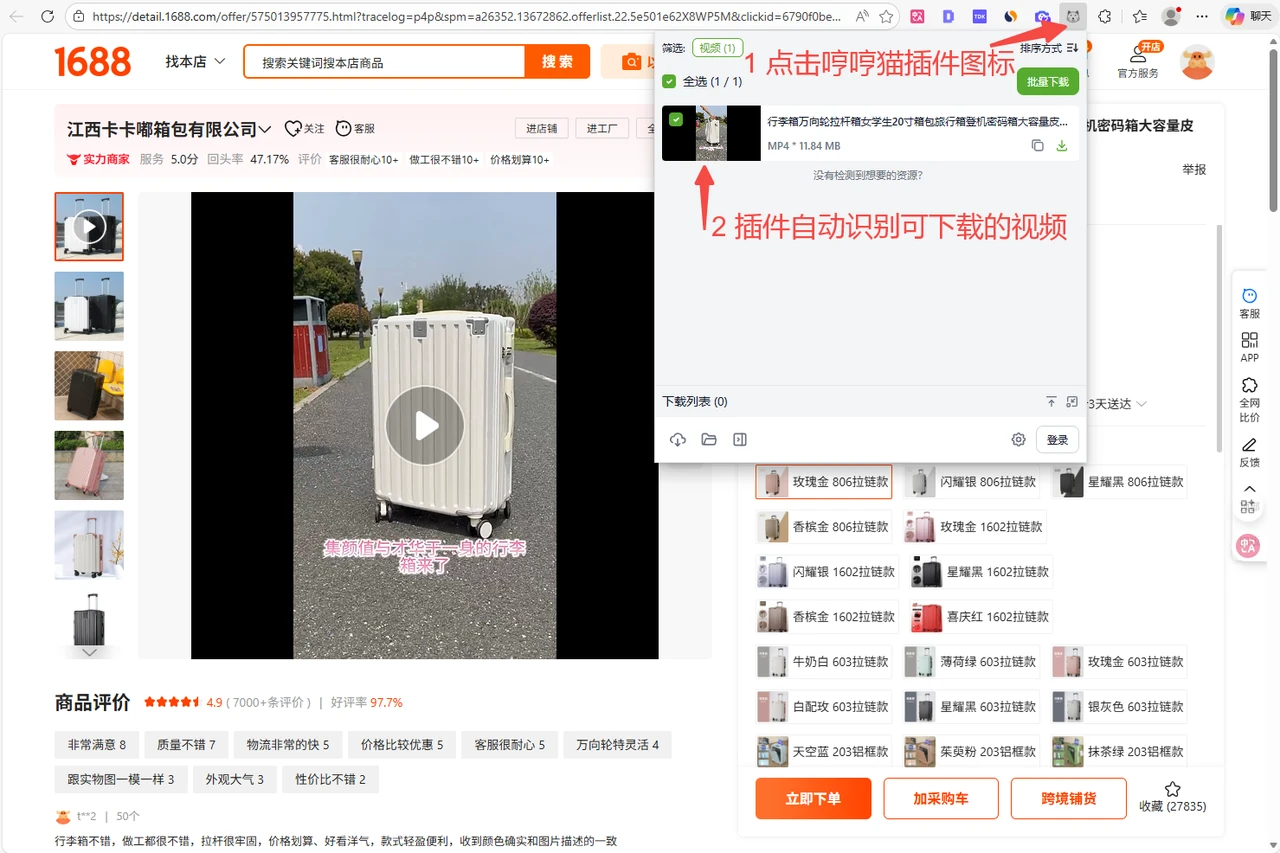
Click the Download button. Once complete, click the folder icon to view the saved video.