On this page
Bulk Video Downloader - One-Click Batch Save for Videos & Images Across Platforms
Overview
The Bulk Link Download feature lets you paste dozens of share links from different websites all at once. MeowLoad will automatically parse every link and retrieve the media resources they contain, including:
- 🎬 Video files
- 🖼️ Image files
- 🎵 Audio files
- 📡 Live streams
- 📝 Subtitle files
How to Use
1. Paste Multiple Links
For example, if you come across videos you like on Twitter, YouTube, and Instagram, simply paste all of the share links into MeowLoad at once. The software will automatically detect and parse every link.
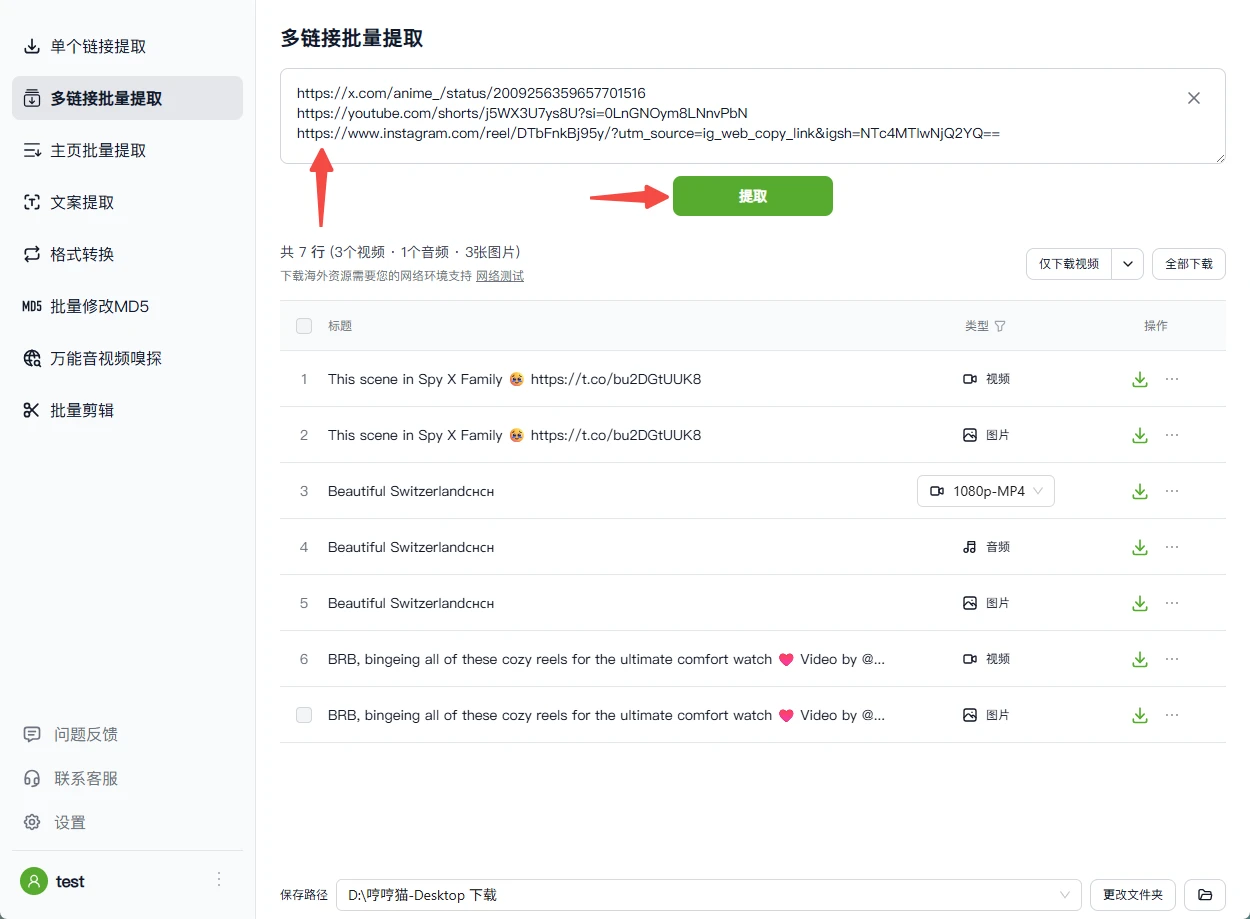
2. Filter and Download
Once parsing is complete, you can:
- Filter by type: Show only videos, images, or other specific file types
- Select individual files: Manually check the files you want
- Download all at once: Click the download button to batch-save all resources to your local device
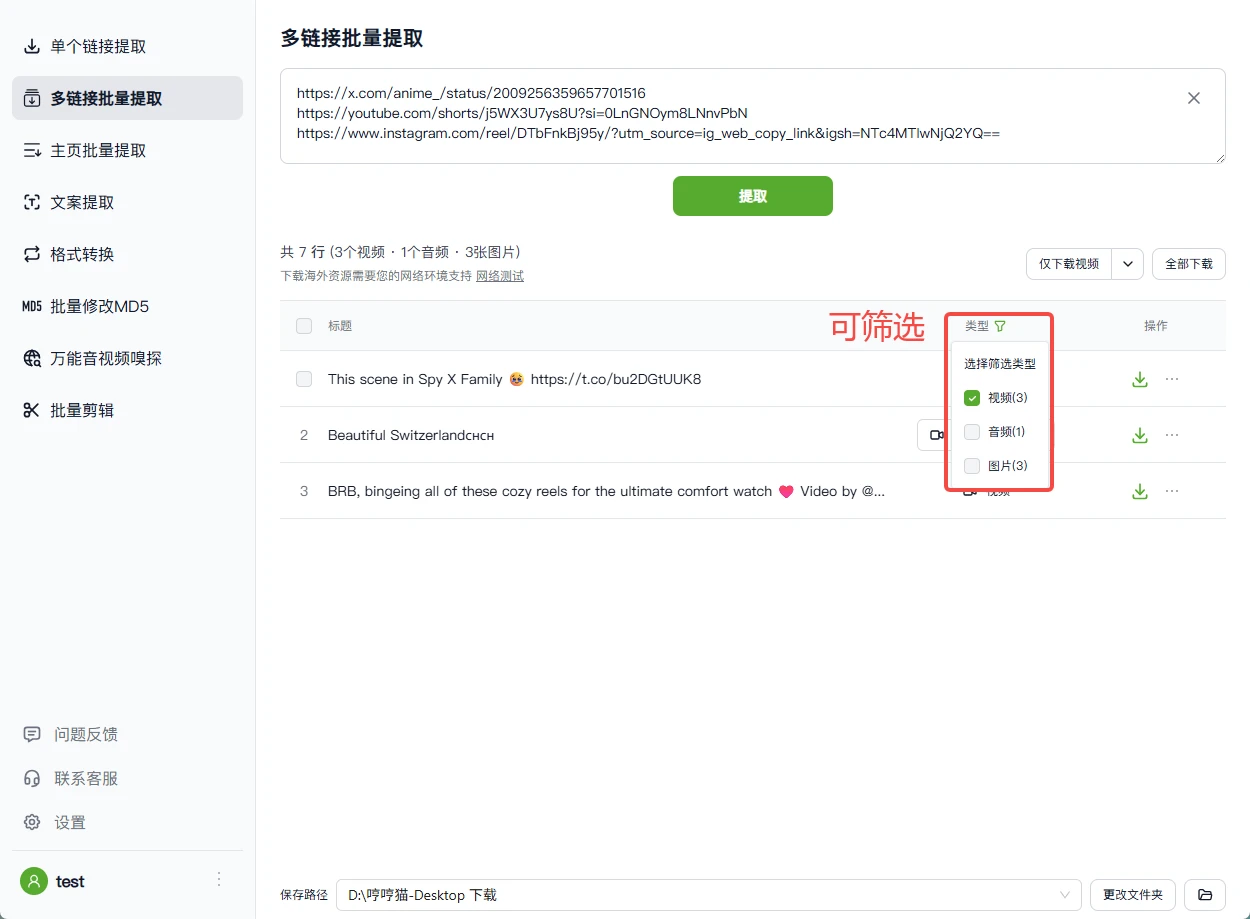
Key Features
- ✅ Cross-platform support: Compatible with 1000+ video platforms including YouTube, Twitter, Instagram, TikTok, and more
- ✅ Smart detection: Automatically identifies all media resources within a post
- ✅ Flexible filtering: Filter by file type for precise downloads
- ✅ Batch processing: Handle dozens of links at once, greatly improving efficiency